Day 2: Today let's learn about routers
Come along with me on a public learning journey into AWS Cloud and DevOps, designed specifically for those without a technical background. I'll be documenting each step in straightforward, easy-to-understand language to help others make a smooth transition into DevOps. Together, we'll delve into continuous integration, deployment, and automation, breaking down complex concepts into manageable, actionable insights.
A router is a device that helps connect your devices (like computers, smartphones, and tablets) to the internet. It works like a traffic director, making sure that data (like emails, web pages, or videos) gets sent to the right device in your home or office
Here’s a simple analogy:
Post Office: Think of a router as a post office. When you send a letter, the post office ensures it reaches the right address. Similarly, when you request a web page, the router ensures the information from the internet gets to your device.
Traffic Cop: A router also acts like a traffic cop, directing data to where it needs to go without causing congestion, ensuring a smooth flow of information.
So, a router helps all your devices get the information they need from the internet and keeps everything running smoothly.
On day 1 we learned about switches, and how they help to communicate with other devices on other networks so now let's take a scenario,
Let's say Johny on network 1 wants to connect to a website namdev.com on another network, now to connect to 2 devices on a different network
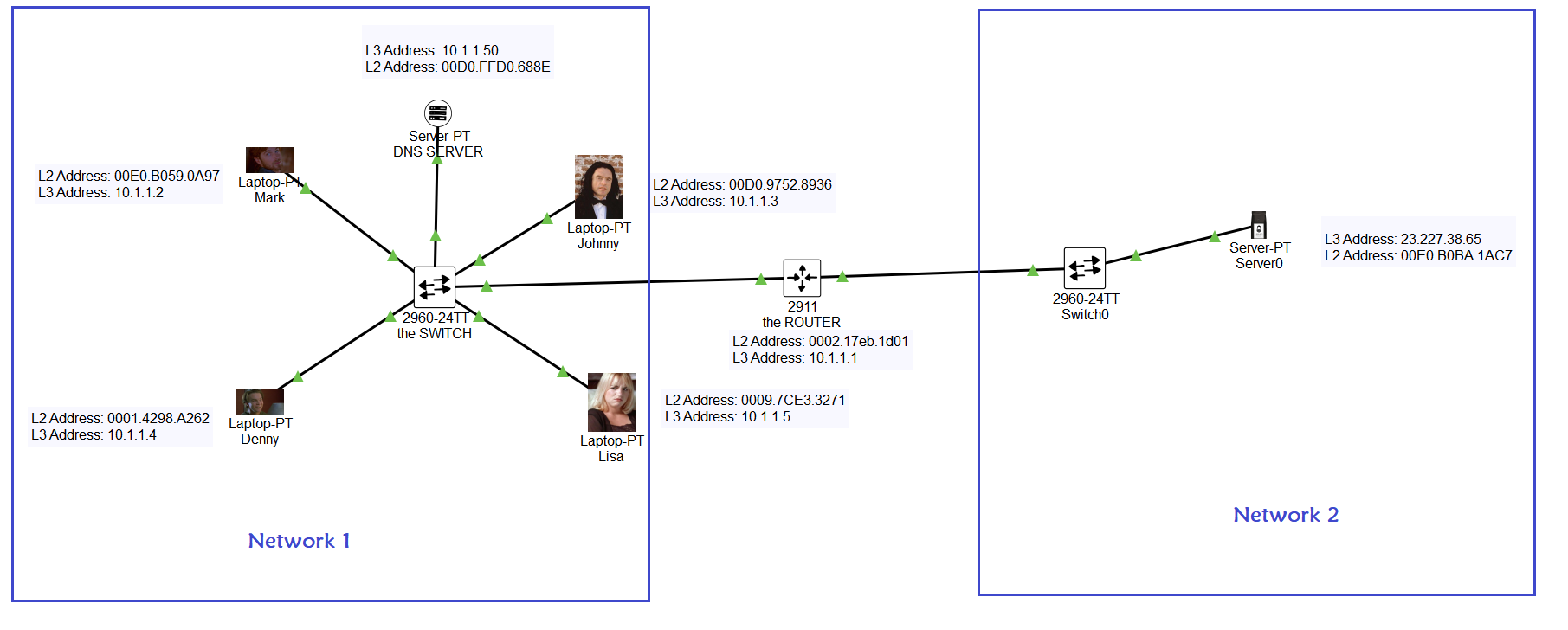
Let's say we remove the router and connect both the network with their switch
what happens?
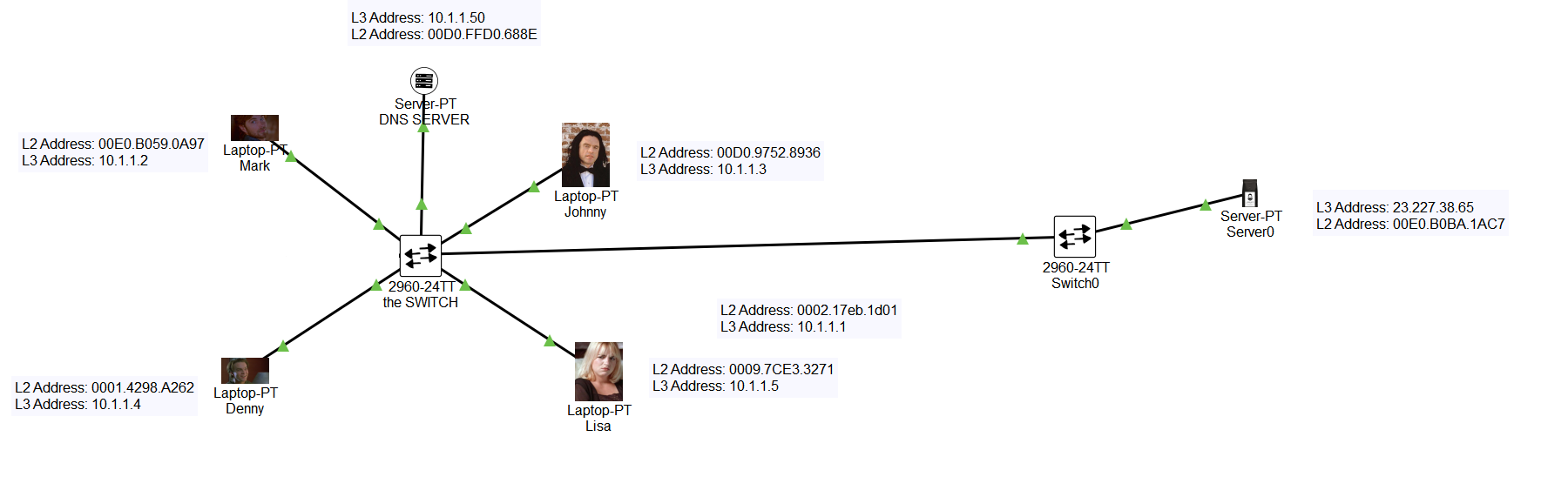
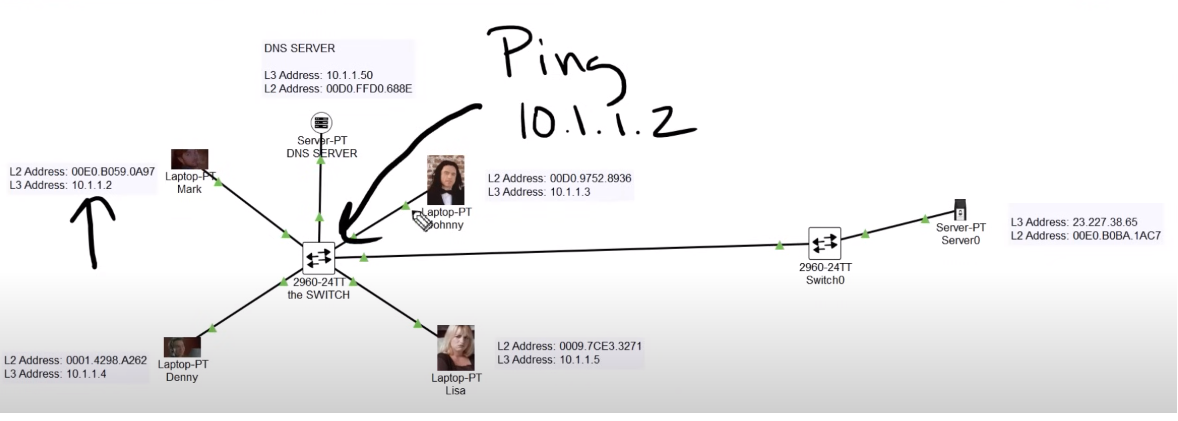
when Johnny (10.1.1.3) pings 23.227.38.65 from other networks without the router in the middle of these 2 networks what happens?, before that let's see what ARP is
ARP is an address resolution protocol that helps the switch to know the destination MAC address initially when you ping someone with the IP address switch will not know the L2 address so what the switch will do is it will initially broadcast the message to all those in the network asking do you know who 10.1.1.3 is this is done by ARP ,Essentially this is a way that is used to find what Mac address is tried to 10.1.1.3
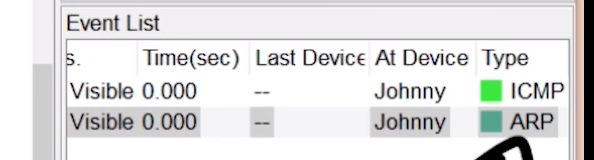
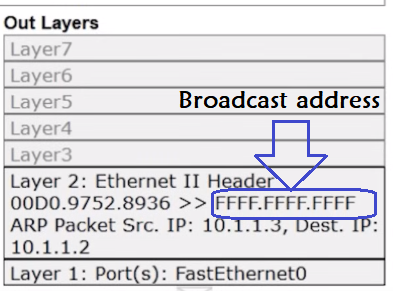
Once Mac is stored it will not broadcast again, when 2 devices on another network
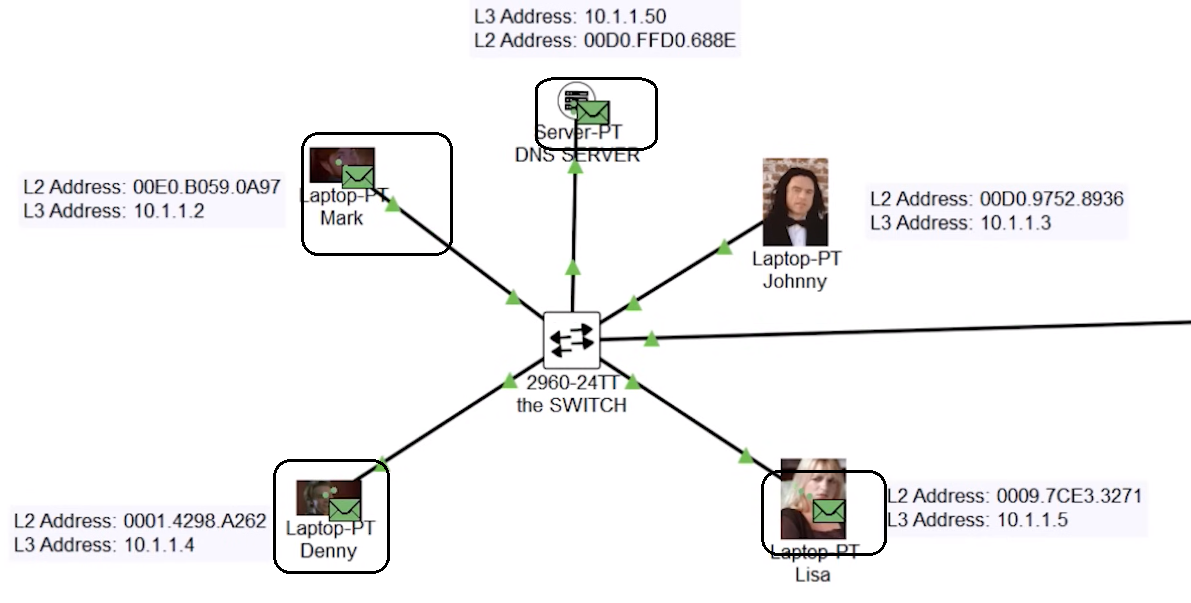
This is what happens when someone is on the same network but when the destination is on another network and no router is connected between them.
lets ping 23.227.38.65
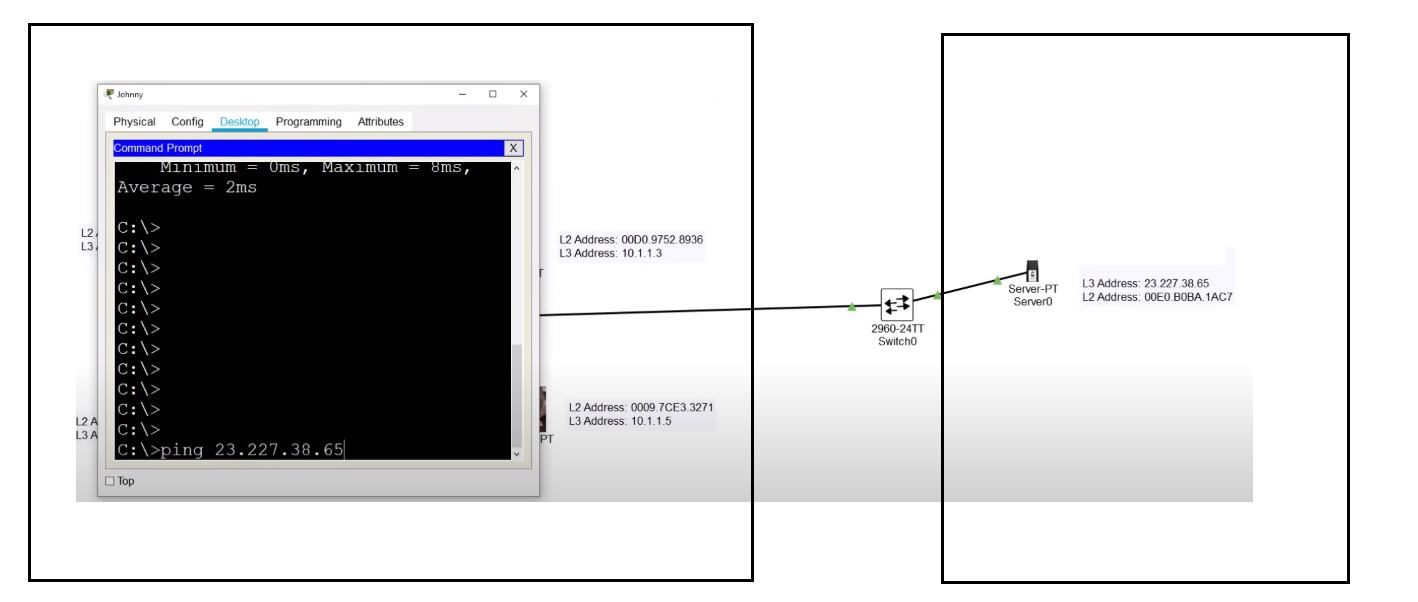
So now we hit enter and see there is an ARP frame ready to find out where 23.227.38.65 is on the network,
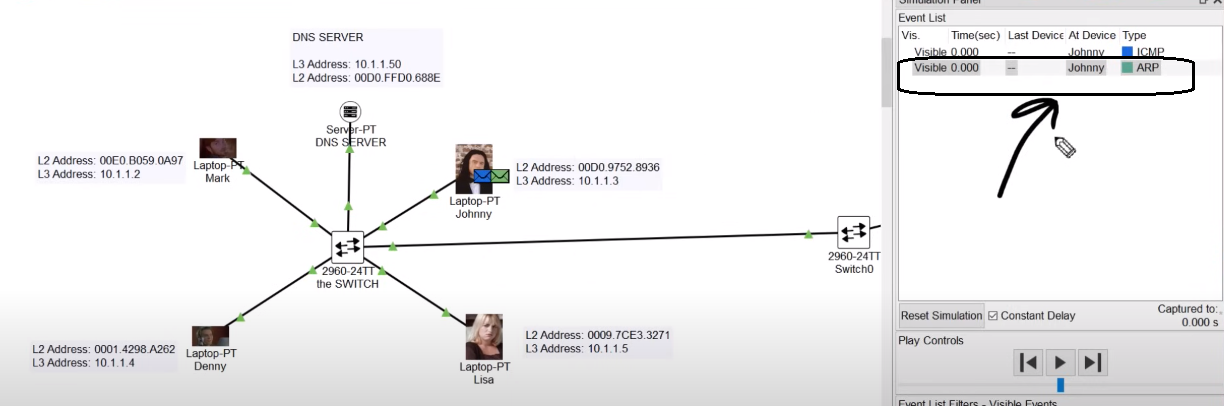
when you open the ready package you will find that the destination address is not 23.227.38.65 but instead, you see it is 10.1.1.1
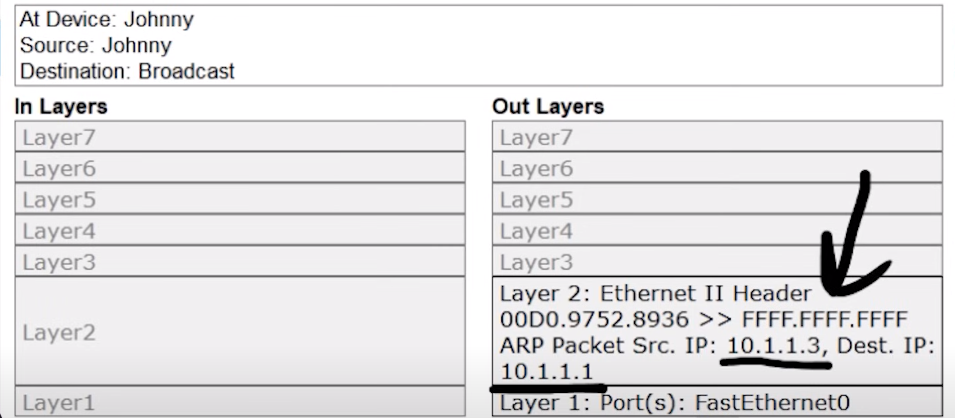
because 10.1.1.13 knows 23.227.38.65 is not on this network so it will not even try to connect to 23.227.38.65, and he gives up immediately ,
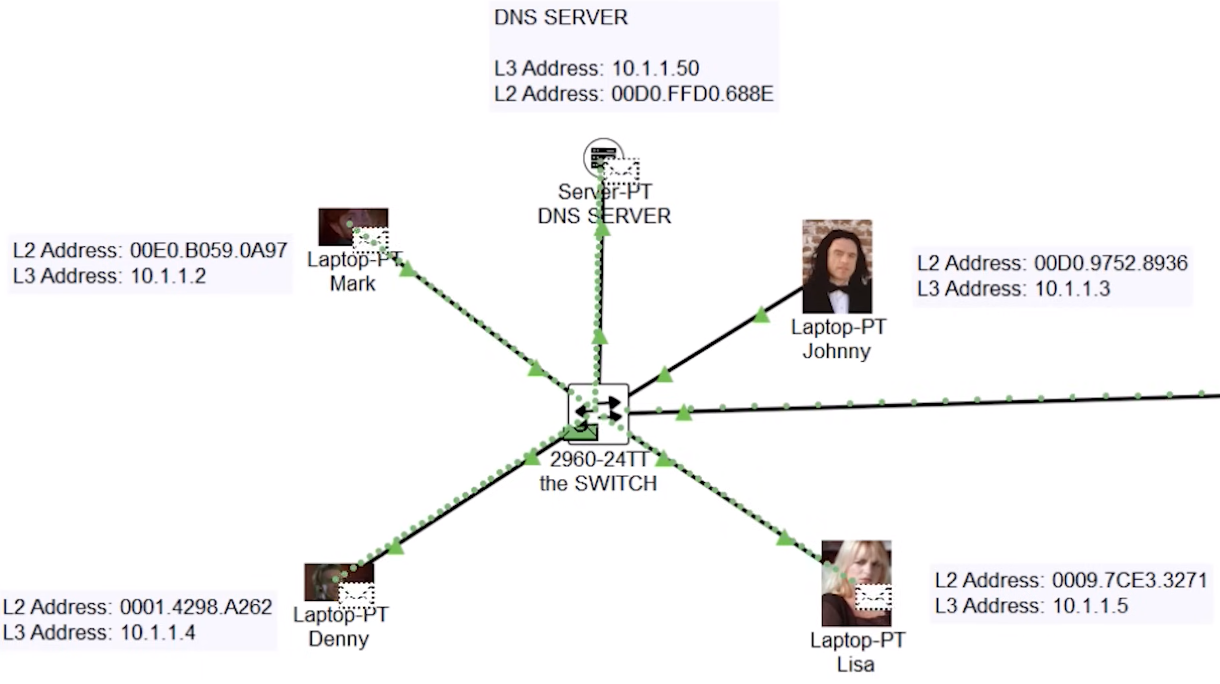
a broadcast message is sent to see where 23.227.38.65 belongs and no one responds, it's due to how we configured Johnny lets Open the Johny configuration
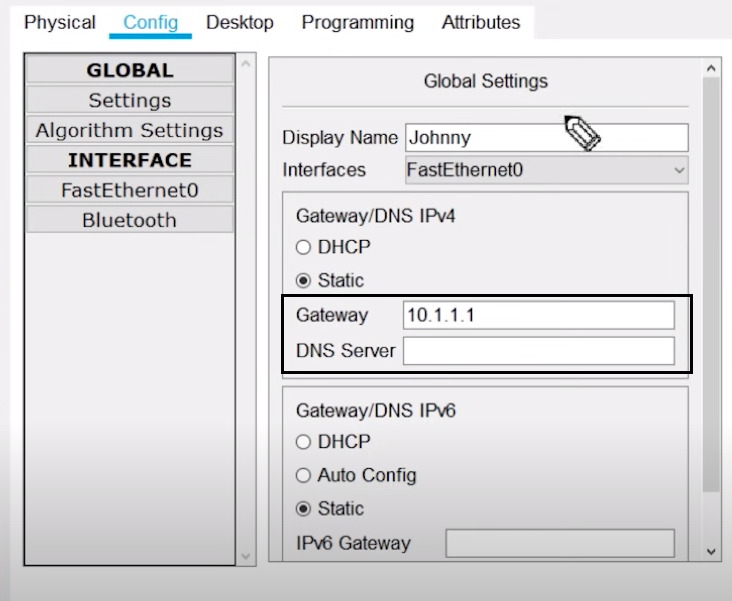
10.1.1.1 is the gateway in other words it is a router, Johny knows people in his network are between 10.1.1.1 through 10.1.1.255, to connect to the different networks he needs help and that help comes from the Router, The Router knows only Layer 3 IP address
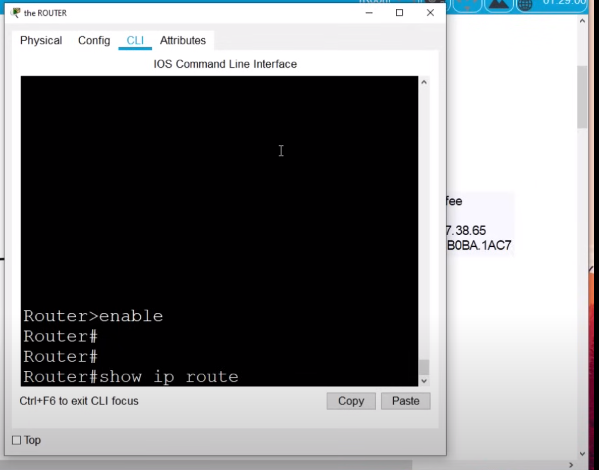
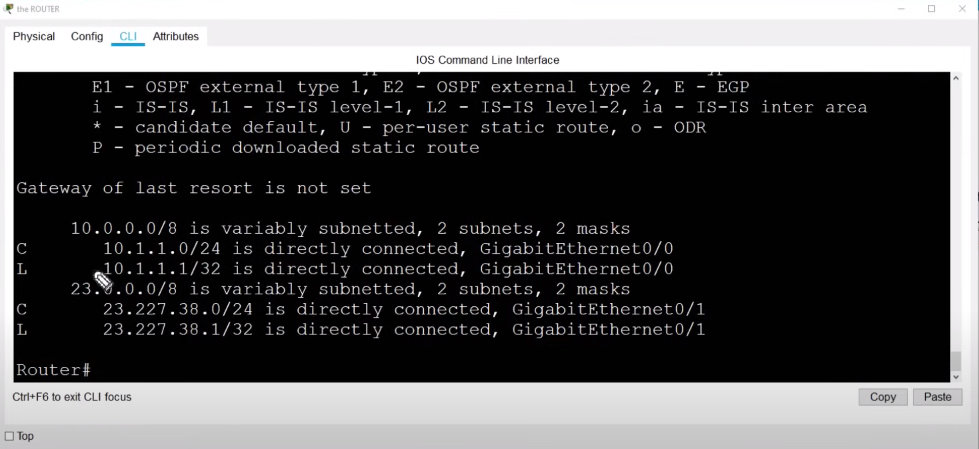
when you dive into the brain of the router it has mapped to another network, let's learn the 2nd CLI command to check the router's map
Router > Enable
Router# show IP route
Learn more about routers from below recommended video
Let's meet on Day 3 we will learn about
1. TCP |IP and OSI
2. Real-life example of TCP|IP and OSI Layers